Powered by Blogger.
RSS
Showing posts with label Computer Networking. Show all posts

Computer Networking #2


Computer Networking #1focuses on the definition of network or networking and types of networking. Well this post is about ‘network topology’  continue reading to know more…

NETWORK TOPOLOGY
In computer networking, topology refers to the layout of connected devices. This article introduces the standard topologies of networking.
Think of a topology as a network's virtual shape or structure.
Network topologies are categorized into the following basic types:

  1. Bus topology
  2. Ring topology
  3. Star topology
  4. Tree topology
  5. Mesh topology 


BUS TOPOLOGY
In the bus topology, each computer connects to a common cable. The cable connects one computer to the next, like a bus line going through a city. The cable has a small cap installed at the end, called a terminator. The terminator prevents signals from bouncing back and causing network errors.


RING TOPLOGY
A ring topology is very similar to the bus. In a ring, all the devices on the network are connected to a common cable which loops from machine to machine. After the last machine on the network, the cable then returns to the first device to form a closed loop. Messages are passed around the ring in sequence. 


STAR TOPOLOGY
Star topology is completely different from rather a bus or ring. In star topology, each device has its own cable run connecting the device to a common hub or concentrator. Only one device is permitted to use each port on the hub. That is all nodes are connected to a Central machine or to a wiring centre (such as hub). Messages can be sent directly to their destinations from the centre.


TREE TOPOLOGY
Tree topologies integrate multiple star topologies together onto a bus. In its simplest form, only hub devices connect directly to the tree bus, and each hub functions as the "root" of a tree of devices. This bus/star hybrid approach supports future expandability of the network much better than a bus (limited in the number of devices due to the broadcast traffic it generates) or a star (limited by the number of hub connection points) alone.


MESH TOPOLOGY
The mesh topology connects all devices to each other. When every device is connected to every other device, a failure of any cable will not affect the network.

  • Digg
  • Del.icio.us
  • StumbleUpon
  • Reddit
  • RSS

How To Make An Ethernet Cable (Straight Through And Cross Over Cable) #2

<<Previous

4. Use scissors to make a straight cut across the wires 1/2 Inch from the cut sleeve to the end of the wires.


5. Push the wires into the connector. Note the position of the blue plastic shielding. Also note how the wires go all the way to the end. 

A view from the top. All the wires are all the way in. There are no short wires.   


WRONG WAY - Note how the blue plastic shielding is not inside the connector where it can be locked into place. The wires are too long. They should be 1/2 inch from the sleeve.


WRONG WAY - Note how the cables do not go all the way to the end of the connector.


6. CRIMPING THE CABLE ... carefully place the connector into the Ethernet Crimper and cinch down on the handles tightly. The copper splicing tabs on the connector will pierce into each of the eight wires. There is also a locking tab that holds the blue plastic sleeve in place for a tight compression fit. When you remove the cable from the crimper, the cable is ready to use.


For a standard cable (straight through), repeat all steps on the other end of the Ethernet cable exactly. For a cross-over cable, make sure to get the color order right.


Make sure to test the cables before installing them. An inexpensive Ethernet cable tester does this quite well.
NOTE - The maximum cable length of CAT-5 Ethernet cable is 328 feet or 100 meters.

<<Previous

  • Digg
  • Del.icio.us
  • StumbleUpon
  • Reddit
  • RSS

How To Make An Ethernet Cable (Straight Through And Cross Over Cable)

Purchasing fully made Ethernet cables from the store can be quite expensive.  It is far easier to simply buy a box of bulk Category 5 Ethernet cable and then attach your own RJ-45 connectors to the cut ends to your preferred length.


Materials Required

Bulk Ethernet Cable - Category 5 or CAT5


Bulk RJ45 Crimpable Connectors

RJ-45 Crimping tool

There are two kinds of Ethernet cables you can make. Straight Through and Crossover.


STRAIGHT THROUGH - Ethernet cables are the standard cable used for almost all purposes. It is highly recommended you duplicate the color order as shown on the left.  

CROSSOVER CABLES - The purpose of a Crossover Ethernet cable is to directly connect one computer to another computer (or device) without going through a router, switch or hub.

Procedure

Here's how to make a standard cable:

1. Cut into the plastic sheath 1 inch from the end of the cut cable. The crimping tool has a razor blade that will do the trick with practice.
2. Unwind and pair of the similar colors.  
3. Pinch the wires between your fingers and straighten them out as shown. 
(The wire colors line up to form a straight through standard cat 5 cable as described above.)

 Next>>

  • Digg
  • Del.icio.us
  • StumbleUpon
  • Reddit
  • RSS

What is Ethernet?


What is Ethernet?

Ethernet is a type of cabling that connects multiple computers together. It is a type of standard used in local networks that defines how signals enable the communication between computers, routers and hubs.

Ethernet cables connect network devices such as modems, routers, and adapters. They transmit data using the Ethernet protocol. It is one of the most popular forms of network cable used on wired networks.

Ethernet cables are also known as RJ-45 cables and are used in computer networking and deliver data between computers on the internet. The cable’s port resembles a standard phone cable, although it is roughly twice as big. Any internet connection in your home or office, other than dial up, use Ethernet cables to connect to the Internet.

While Internet is a global network, Ethernet is a local area network (LAN). No computer should be an island. With Ethernet, file sharing and printer sharing among machines became possible.

Advantages


  1.   Upgradability
  2.  Simplicity of installation
  3.  Connectivity to backbone
  4.  Low cost
  5.  Provides multiple layout (topology) options 
  6.   Suits a variety of basic communication and networking needs 

Disadvantages

  1. A single Ethernet cable, like an electric power cord, can extend only limited distances due to their electrical transmission characteristics.
  2.  Difficult to maintain through time.
  3.  Durability limitations. 
  4.   Length limitations.

Types of Ethernet Cables

Crossover, Straight Through and Rollover Ethernet Cables.

A crossover cable is a special type of Ethernet cable specially designed for connecting two computers to each other. By contrast, most Ethernet cables are designed to connect one computer to a router or switch.

Rollover Ethernet cable is used by network technicians to program networking devices like routers.

Straight ThroughEthernet cable is used to connect “unlike” devices such as hub and a router (two types of networking devices with very different functions.)

Ethernet cables are physically manufactured in two basic forms called solid and stranded. Solid Ethernet cables tend to offer better performance and protection against electrical interference, while stranded cables are less prone to physical cracks and breaks making them more suitable for travelers and portable devices.

Learn How To Make an Ethernet Cable


  • Digg
  • Del.icio.us
  • StumbleUpon
  • Reddit
  • RSS

Computer Networking #1

Many of you are familiar with the word “network, networking or computer network” and haven’t really understand what these terms mean. Well if you want to know more you’ve just come to the right place.


A computer network, often simply referred to as a network, is a collection of hardware components and computers interconnected by communication channels that allow sharing of resources and information.

  TYPES OF COMPUTER NETWORK  
One way to categorize the different types of computer network designs is by their scope or scale. For historical reasons, the networking industry refers to nearly every type of designs as some kind of area network. Common examples of area network types are:

I. LAN-Local Area Network WLAN
II. Wireless Local Area Network
III. WAN-Wide Area Network
IV. MAN-Metropolitan Area Network
V. PAN-Personal Area Network

1. Local Area Network (LAN)  A local area network (LAN) is a group of computers and associated devices that share a common communications line or wireless link.
Typically, connected devices share the resources of a single processor or server within a small geographic area (for example, within an office building). Usually, the server has applications and data storage that are shared in common by multiple computer users.
A local area network may serve as few as two or three users (for example, in a home network) or as many as thousands of users


2. Wireless Local Area Network (WLAN) This is a LAN based on WIFI wireless network technology

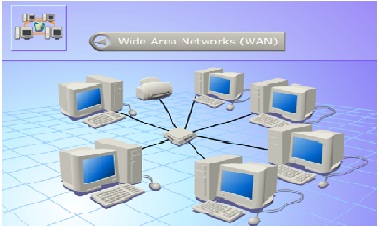
3.  Wide Area Network (WAN)    A WAN spans a large geographic area, such as a state, province or country. WANs often connect multiple smaller networks, such as local area networks (LANs) or metro area networks (MANs). The world's most popular WAN is the Internet. Some segments of the Internet, like extranets , are also WANs in themselves. WANs generally utilize different and much more expensive networking equipment than do LANs. A network device called a router connects LANs to WANs

4. Metropolitan Area Network (MAN) A network spanning a physical area larger than a LAN but smaller than a WAN. A MAN is typically owned and operated by a single entity such as a government body or large corporation

5. Personal Area Network (PAN) This is a computer network used for communication among computerized devices, including telephones and personal digital assistants. A good example of this network is the Bluetooth network.

Computer Networking #2 talks about network topology click to read more...

  • Digg
  • Del.icio.us
  • StumbleUpon
  • Reddit
  • RSS